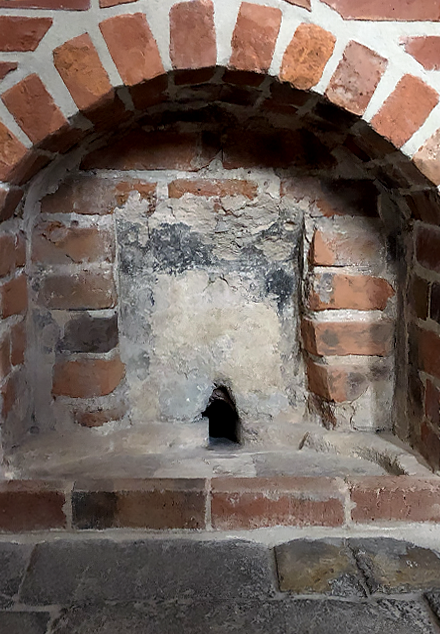
Sacarium znajduje się tuż przy obecnej posadzce świątyni. To nieduża nisza o łukowatym kształcie, dość głęboka, z niewielkim odpływem wewnątrz. Natrafiono na nią niedawno, podczas remontu katedry. W dawnych kościołach były one miejscem specjalnym, do którego trafiały zużyte podczas obrzędów liturgicznych resztki na przykład święconej wody.
Wysypywano do nich też popiół ze spalonej waty, którą dokonywano namaszczeń albo wylewano wodę, w której była prana tak zwana bielizna kielichowa, czyli zdobne fragmenty materiałów, używanych przez duchowieństwo w trakcie liturgii. Wszystko po to, by w godny sposób pozbywać się resztek tego, co pozostawało po świętym obrządku, nie uchybiając temu, co służyło do czczenia Najwyższego.
Sacraria najczęściej umiejscowione były w pobliżu ołtarza. To, odnalezione w opolskiej katedrze, może więc być kolejnym sygnałem wskazującym na fakt, że pierwotny kościół był umiejscowiony właśnie w tym miejscu.
Sacrarium
Teksty o wybranych miejscach w Katedrze Opolskiej oraz nagrania powstały w ramach projektu „Świadek wielokulturowości regionu opolskiego. Renowacja i konserwacja katedry pw. Podwyższenia Krzyża Świętego w Opolu”, współfinansowanego przez Unię Europejską ze środków Europejskiego Funduszu Rozwoju Regionalnego w ramach Regionalnego Programu Operacyjnego Województwa Opolskiego na lata 2014–2020 oraz środków własnych parafii katedralnej. Więcej informacji: www.renowacja.katedraopolska.pl
How it working
To listen to the history of monuments as part of the "Discover History" project, you need to follow a few simple steps. Below, we present a short, step-by-step "user manual" to provide a relatively simple way to access the mini-auditions.
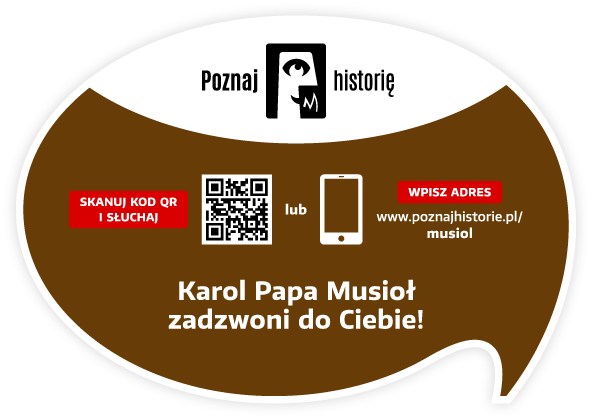
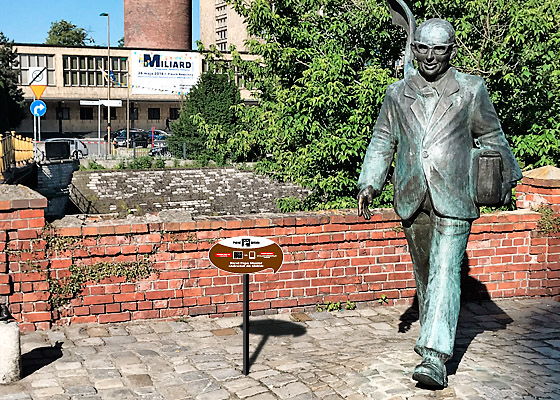
You need a smartphone with a camera. The camera lens should be pointed at the information plaque located next to the monument. Below is a view of the plaque itself and its example location next to the Karol Musioł monument in Opole.
After pointing your smartphone's camera at the QR code located on the right side of the plaque, the app's welcome screen will appear, followed by a screen with the name, photo of the monument, and the "START" button.
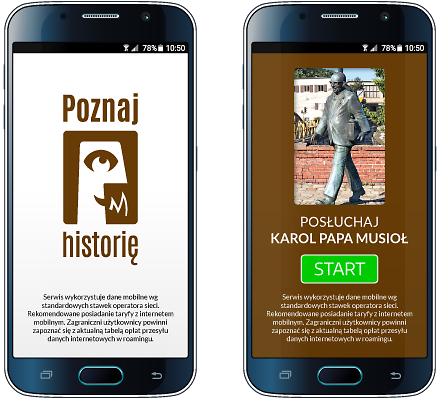
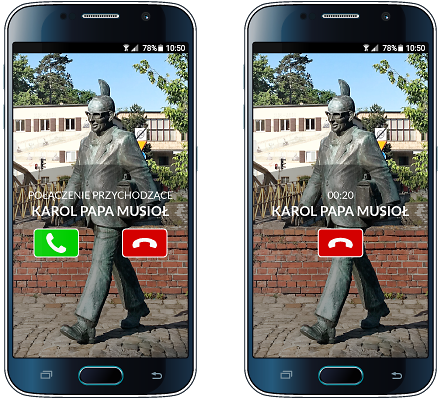
The "START" button starts the audio recording process.
Your smartphone will prompt you with the next steps after you listen to the story or pause it. Please keep an eye on your smartphone screen!
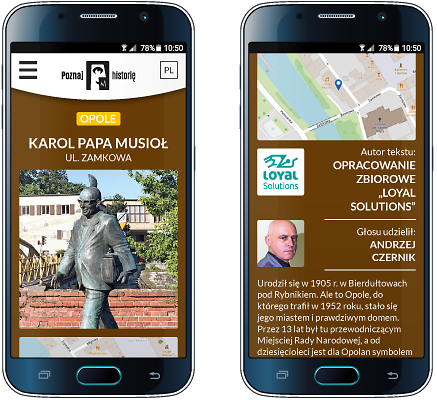
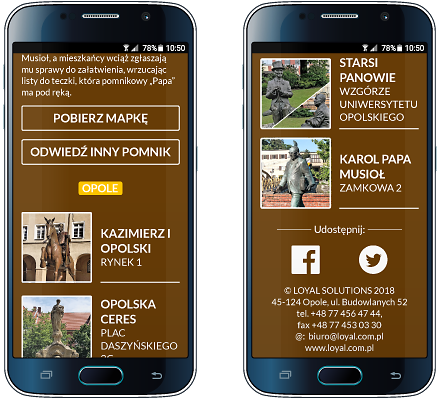
Other available options: brief information about the monument, author of the text and recording, list of other monuments in the city included in the "Discover History" project, downloadable map of monuments, video, and social media links
Would you like to implement the project in your city as well?
ContactSelect an object
View gallery
Monuments in cities remind us of the history of places and people, and allude to important events. They are also works of art. Bronze, metal, wood, or concrete transformed into the form of a monumental obelisk attract attention. We enjoy sitting by them, taking photos, and making appointments.
Project partners
Implementing the "Discover history" project in each city requires the involvement of many people: programmers, graphic designers, writers, actors, sound engineers, and coordinators. It is thanks to them that this project came to life.
Our ambition is to continually expand its reach. Therefore, we thank our current partners and invite additional cities, institutions, companies, and individuals to collaborate!

Would you like to become our Partner of the project or monument?
ContactContact
Are you interested in implementing the project in your city? Want to learn more? Want to learn more? Write to us, call us! We'll contact you and arrange a meeting. We'll prepare materials and a proposal for you.

QR Communication Sp. z o.o.
tel. +48 735 147 911
tel. +48 606 881 118
paulina.panusch@poznajhistorie.pl
kontakt@poznajhistorie.pl
Visit Social media:
Share Social media: